Guides
Auto Repair Shop Website: Pages That Bring More Calls
By Ryzon Automation Team9 min read
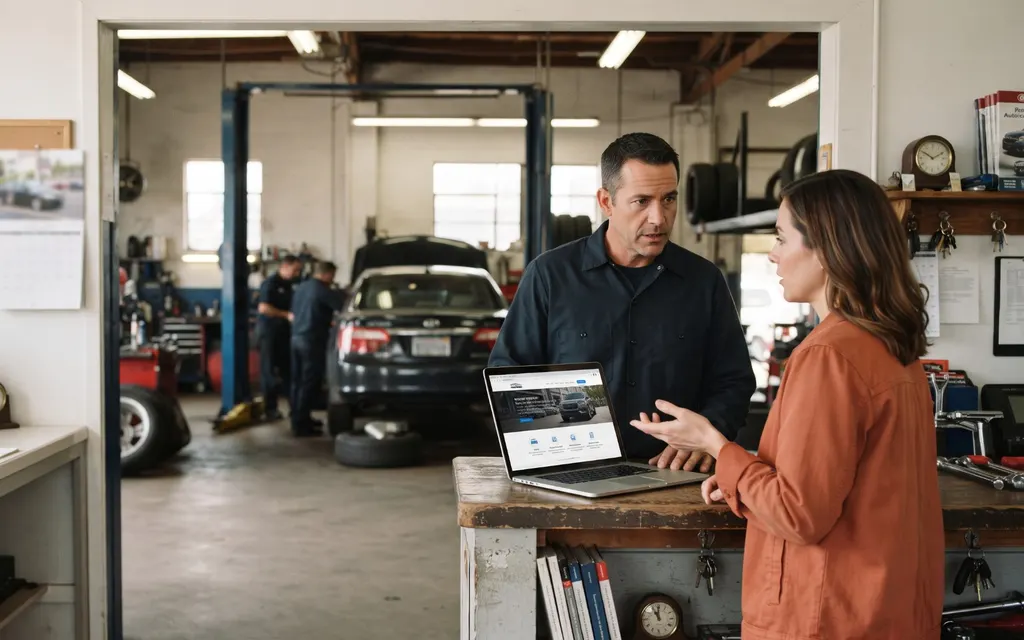
A professional auto repair shop website should do more than look good. It should help potential customers understand your services, find your contact information, and take the next step. Here is a practical page-by-page blueprint for building one without a big upfront design fee.
On this page
What Should an Auto Repair Shop Website Include?
A professional auto repair shop website helps potential customers find your services, check your location, and contact your business without hunting for basic information. You don't need a large upfront budget to get started. You need clear service pages, a mobile-friendly layout, accurate contact details, and a straightforward way for customers to reach you.
For independent mechanics and garage owners, the goal is simple: make it easy for someone searching for a repair shop to understand what you do and decide whether to call.
The six essentials every repair shop website needs
Use this checklist when planning a website for auto repair shop services:
- Homepage: Your shop name, location, main services, and phone number.
- Service pages: Clear descriptions of the repairs and maintenance you offer.
- Vehicle information: The vehicle types and categories your shop actually services.
- Contact details: Your address, phone number, and business hours.
- Appointment requests: A simple way for customers to ask about scheduling.
- Trust-building information: Genuine shop photos, business background, and accurate service details.
A professional appearance matters, but useful information matters just as much. Visitors shouldn't have to guess which repairs you handle or how to get in touch.
Why a phone-first layout matters
Someone dealing with a car that won't start may search for a mechanic on their smartphone. Your website should make the next step obvious.
Good auto repair shop website design puts the phone number somewhere easy to find, makes it clickable, and keeps menus simple. Contact forms should work on smaller screens, too.
Skip complicated animations until the basics are covered. A clear phone number and useful service information are more practical starting points for mechanic website design.
The Ideal Auto Repair Shop Website: A Page-by-Page Blueprint
The best website for auto repair shop customers answers three questions quickly: What does this business repair? Where is it located? How can I contact it?
Homepage: Make the shop easy to understand
Start with your shop name, city or service area, and primary repair services. Add a visible call button and a short introduction explaining what your business does.
If you specialize in brake repairs, diagnostics, or vehicle maintenance, make that clear. Don't fill the homepage with broad marketing statements that could describe any garage.
Service pages: Explain exactly what you repair
Give your main services their own sections or pages. Examples include brake repair, oil changes, air conditioning repair, vehicle diagnostics, and general automotive maintenance.
Explain what each service covers and which vehicles you work on. Keep descriptions accurate to your shop's capabilities.
These pages also give search engines clearer information about your business. Descriptive headings and relevant service details help organize the website, although they can't guarantee specific search rankings.
Contact and appointment pages: Make the next step simple
Your contact page should show your address, phone number, and business hours. An appointment request form can ask for a customer's name, vehicle, requested service, and preferred time.
Keep the form short. People should be able to ask about availability without answering a long list of questions.
Trust-building information: Give customers a reason to reach out
Use an About page to explain your business, experience, and approach to customer service. Add genuine photographs of your shop, equipment, and team.
The best auto repair websites make essential information easy to find across every page. Keep contact options visible so visitors don't need to return to the homepage to locate your number.
What Makes an Auto Repair Website Turn Visitors Into Calls?
A useful website removes obstacles between finding your shop and contacting it. Consider a hypothetical customer searching for a mechanic because their brakes are making noise. They need to find a nearby business, check whether it handles brake repairs, and see how to get in touch.
The five-step customer journey
- Find the shop: The customer discovers your website through a search or another source.
- Understand the business: The homepage confirms your location and services.
- Check the repair: A brake repair page explains what your shop handles.
- Assess the business: Genuine photographs and accurate contact details help the visitor evaluate the shop.
- Make contact: A visible phone number or appointment form provides a clear next step.
Each step should feel natural. Visitors shouldn't have to search through several menus to find basic information.
The phone-first website test
Open your website on your smartphone and check the following:
- Can you identify the shop and its location immediately?
- Are the main repair services easy to understand?
- Can you find and tap the phone number?
- Is the contact page easy to reach?
- Does the appointment form work on your screen?
If something is difficult to find, fix it before adding more features.
What website analytics can tell you
Website analytics help you understand how people use your site. Depending on the tools installed, you may be able to review page visits, traffic sources, and which pages receive attention.
That information can help you decide what to improve. For example, if visitors view a service page but rarely reach the contact page, you might make the next step more visible.
Good mechanic website design supports customer contact, but it can't guarantee calls, rankings, or new business. Your location, competition, reputation, and customer demand also influence results.
DIY Auto Repair Website Templates vs. Done-for-You Design
A template gives you a starting layout. Done-for-you design gives you professional help building the finished website. Your choice depends on your budget, available time, and comfort with website tools.
When a DIY template makes sense
An auto repair shop website template may suit an owner who can write service descriptions, arrange photographs, adjust layouts, and manage updates.
An auto repair website template can provide a useful starting point, but the finished result still needs accurate content, working contact options, and a layout that suits your business.
Paid templates are usually a one-time purchase that costs far less than a finished website, but the template price doesn't include hosting, a domain, writing your content or keeping the site updated.
A cheap auto repair shop website may have a low initial price, but consider the time required to set it up and maintain it. The cheapest starting option isn't necessarily the easiest to manage.
When professional website design is worth considering
| What you're comparing | DIY template | Done-for-you design |
|---|---|---|
| Setup | You handle it | The provider handles it |
| Customization | Your responsibility | Depends on the package |
| Time investment | More hands-on work | Less owner involvement |
| Content | You prepare and organize it | Support depends on the service |
| Ongoing changes | You usually manage them | Depends on the plan |
A repair shop owner who spends most of the day working on vehicles may prefer to have someone else handle the website.
Ryzon Automation offers professional websites with SEO and analytics on every plan. The Growth plan adds business automations, custom dashboards, and traffic tracking. The Complete plan includes custom design and free lifetime changes.
You don't need advanced automation from the start. Begin with the features your business needs, then consider additional tools when they make sense.
How to Choose Affordable Website Design Packages Without Overpaying
Compare what's included before choosing an affordable website design package. The monthly price matters, but so do the services, support, and ongoing responsibilities.
What should an affordable website design package include?
Look for a clear list of services rather than relying on promises about appearance.
Consider these essentials:
- Professional website design.
- A mobile-friendly layout.
- SEO basics, such as descriptive page titles and relevant service information.
- Website analytics.
- Contact details and appointment request options.
- A clear process for requesting changes.
Not every provider includes the same features. Ask what's covered before signing up, particularly if you need ongoing edits or help managing the site.
Questions to ask before choosing a provider
Before committing, ask who prepares the website content, who handles updates, what customization is available, and whether analytics are included.
Think about your actual needs, too. An independent garage may need a clear service list and reliable contact form before it needs custom dashboards or business automations.
If you're searching for website design affordable enough for a small business budget, compare the full offer rather than the headline price alone.
How Ryzon Automation makes getting started simpler
Ryzon Automation is based in Commerce Township, Michigan, and serves small businesses across the United States. Its website plans are designed for owners who want a professional online presence without a large upfront design payment.
Current offers:
- $0 design fee and $0 upfront on every plan (limited time).
- Free design demo, ready as soon as the next day.
- Plans from $40/mo.
- Pay yearly, get 2 months free.
The free design demo gives you a chance to review the proposed design direction before deciding whether to proceed. There's no need to commit just to see what your website could look like.
Ryzon includes SEO and analytics on every plan. Growth adds business automations, custom dashboards, and traffic tracking. Complete includes custom design and free lifetime changes.
The right website package should cover your needs without making you pay for features you won't use.
Auto Repair Shop Website Launch Checklist
Before publishing your website, check the details customers depend on. A polished design won't help if your phone number is incorrect or your appointment form doesn't work.
The final phone test
Open the finished website on your smartphone and act like a first-time visitor. Find the shop's location, review its services, and try to call.
If those tasks take too long, simplify the layout.
What to review before your website goes live
- [ ] The homepage clearly identifies the shop and its location.
- [ ] Every major repair service is described accurately.
- [ ] Vehicle types and specialties reflect what the shop actually handles.
- [ ] The phone number is visible and easy to tap.
- [ ] Contact forms and appointment requests work.
- [ ] The address, phone number, and business hours are correct.
- [ ] Navigation makes important pages easy to reach.
- [ ] SEO and analytics are included and configured if they're part of your package.
- [ ] Photographs and business information are genuine and current.
- [ ] The website has been checked on desktop and mobile.
If you're using an auto repair shop website template, remove placeholder text, irrelevant photographs, and features your business doesn't offer.
A professional auto repair website doesn't need every possible feature. It needs accurate information, clear service descriptions, and a straightforward way for customers to contact you.
Frequently Asked Questions About Auto Repair Shop Website Design
How do I create a website for an auto repair shop?
Start with a homepage, service information, vehicle types serviced, contact details, and an appointment request option. You can build these pages yourself using a template or hire a provider to handle the design. Check the finished site on a smartphone before publishing it.
What should an auto repair shop website include?
An auto repair shop website should include a homepage, repair service information, vehicle details, business location, phone number, appointment requests, and genuine information about the business. These essentials help visitors understand your services and decide how to contact you.
How much does an auto repair shop website cost?
The cost depends on whether you use a DIY template or choose a complete website service. A template is usually a small one-time purchase, but it doesn't cover hosting, setup, content or ongoing updates. Ryzon Automation offers plans from $40/mo., with a $0 design fee and $0 upfront on every plan (limited time).
Are there free auto repair shop website templates?
Yes, free auto repair shop website template options are available, although features and customization vary. Before choosing one, consider the time needed to set up the site, write service descriptions, configure contact options, and manage changes.
What is the best website design for a mechanic shop?
The best design for a mechanic shop makes services, location, phone number, and appointment options easy to find. A simple, mobile-friendly layout with clear service information is a practical starting point for an independent garage.
Do auto repair shops need SEO on their websites?
SEO helps search engines understand your business, services, and location. Descriptive service pages, accurate business information, and relevant page titles help organize your website, but no provider can guarantee specific rankings or customer results.
Get an Auto Repair Shop Website Without the Big Upfront Cost
Your next step is simple: review your existing website against the launch checklist. If you're starting from scratch, decide whether you have time to build and maintain a template or would rather have a professional handle the design.
You don't need to figure out every technical detail before getting started. Focus on the information customers need, the services you provide, and the easiest way for people to reach your shop.
Ryzon Automation helps small businesses get professional websites with SEO and analytics on every plan. You can review a free design demo before making a commitment.
Get your free demo at ryzonautomationllc.com. No credit card, no commitment.
- #auto repair
- #web design
- #local business